If you’re diving into the world of crafting with your Cricut Maker, you might be wondering just how thick it can cut. Let’s unravel this mystery together and explore:


DISCLOSURE: https://foamfreedom.com/ is supported by you the reader so if you buy any products featured on this site I may earn an affiliate commission. As an Amazon Associate I earn from qualifying purchases
- The specifications of the Cricut Maker.
- The best materials to use.
- Factors that affect cutting thickness.
- Blade types and their impact.
- Precision settings for perfect cuts.
- Handy tips for different material thickness.
Understanding Cricut Maker Specifications
The Cricut Maker is like the Swiss Army knife of craft machines. It’s engineered to deliver precision cuts across a range of materials. So, how does it manage all this cutting magic?
Cutting Mechanism and Power
The Maker utilizes a rotary blade and a fine point blade, allowing it to tackle materials ranging from the delicate to the downright hefty. This versatility means you can go from cutting paper to fabric and everything in between. Seriously, it’s like your crafting unicorn.
Maximum Cutting Depth
The cutting depth is where the real fun begins. The Cricut Maker can cut materials up to 2.4 mm thick. Sounds like a lot? It is. But keep in mind: success often lies in the details, so knowing your materials is key.



Materials Compatible With Cricut Maker
So, what can you actually cut with your Cricut Maker? The list is long and fabulous. Here are a few:
- Paper: Great for cards and scrapbook projects.
- Vinyl: Perfect for stickers and decals.
- Fabrics: Use the rotary blade for clean cuts.
- Balsa Wood: Ideal for model making.
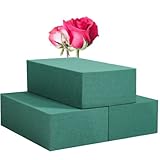
- Foam: If you’re into DIY projects, foam is your best friend.
Expand Your Horizons
Don’t forget about specialty materials. The Cricut Maker can handle materials like leather, chipboard, and even some thick watercolor paper. Each has its own quirks, but that’s what makes crafting so much fun.
Cutting Thickness Capabilities
Factors Influencing Cutting Thickness
While the Cricut Maker boasts impressive capabilities, several factors can sway the cutting thickness:

- Material Type: Different materials react uniquely to cutting.
- Age of Blades: Worn-out blades may struggle with thicker materials.
- Cutting Speed: Slower speeds can improve the quality of thicker cuts, sometimes it’s worth it to slow down.
Importance of Blade Type
Using the right blade can make all the difference. The fine point blade is a champ on lighter materials, while the rotary blade shines with fabrics. Quick tip: always replace dull blades to keep your cuts clean and precise.
Material Density and Composition
Dense materials can challenge your Maker. For example, cutting through foam with a high density could leave you battling with uneven edges, while softer foam may slice like butter. Always do a test cut if you’re unsure.
Precision Settings and Techniques
Now, let’s talk about getting those precision cuts just right. The Cricut Maker allows you to adjust settings, ensuring you can customize the cut to your material:
- Blade Pressure: Increase pressure for thicker materials.
- Cutting Speed: Lower speeds cautiously soar over dense surfaces, working wonders here.
Set Up for Success
Before diving into a project, make sure your settings match your material. And don’t forget to double-check your cutting mat. The more secure the material, the better the cuts.
Tips For Cutting Different Thicknesses
Here are some crafty tips for different thicknesses:
- For Thin Materials: Use the fine point blade and a standard grip mat. Keep speeds high.
- For Medium Materials: Experiment with the deep point blade. Don’t forget to adjust your pressure.
- For Thick Materials: Use the rotary or knife blade if available, and remember to slow down the cut speed.
- Always Test Cut: No matter the thickness, a test cut is your best friend.
Conclusion
How Thick Can A Cricut Maker Cut? Summary and Takeaways
So, how thick can a Cricut Maker cut? Here’s what you need to remember:
- It can handle materials up to 2.4 mm thick.
- Choose the right blade for your material.
- Adjust the precision settings for thickness.
- Always test cut to ensure success.
Crafting has never been easier. Embrace your creativity and let your Cricut Maker be your trusty sidekick.