If you’re a crafting enthusiast, chances are you’ve heard of Cricut, the magical machine that brings your wildest DIY dreams to life. But what exactly can it cut? And how thick can those materials be?


DISCLOSURE: https://foamfreedom.com/ is supported by you the reader so if you buy any products featured on this site I may earn an affiliate commission. As an Amazon Associate I earn from qualifying purchases
In this text, we will cover:
- The inner workings of Cricut cutting technology
- Different types of Cricut machines and their capabilities
- A list of materials your Cricut can handle
- Factors that influence cutting thickness
- Recommended thicknesses for various materials
- Tips to successfully cut thicker materials.
Understanding Cricut Cutting Technology
Cricut machines use a sophisticated cutting technology that combines a blade, cutting mat, and your creativity. Here’s a quick breakdown of how it works:
- Blade: The sharp end of the machine that does the actual cutting. The type of blade used can dramatically affect what you can cut.
- Cutting Mat: This sticky surface keeps your material in place while the blade does its thing.
- Software: The design software allows you to create and customize your projects. You decide the design, and the Cricut handles the rest.
So, next time you marvel at a craft made with a Cricut, remember it’s a symphony of technology and creativity.



Types of Cricut Machines
There are several types of Cricut machines, each with its distinct advantages. Here are the main players in the Cricut family:
- Cricut Explore Air 2: Perfect for beginner and intermediate crafters, this machine handles a variety of materials up to 1.5 mm thick.
- Cricut Maker: The superstar of the lineup. It can cut materials up to 2.4 mm thick thanks to its adaptive tool system.
- Cricut Joy: Ideal for small projects, it cuts materials up to 1.5 mm thick, making it portable yet powerful.
Choose your machine based on the thickness of materials you plan to work with.
Materials That Cricut Can Cut
So, what can your Cricut actually cut? Here’s a roundup of the materials that make the cut:

- Vinyl: A crafter’s best friend. Perfect for stickers, decals, and beyond.
- Paper: From cardstock to specialty paper, it’s a staple for DIYers.
- Fabric: The Maker can cut fabric without the need for backing. Talk about a time-saver.
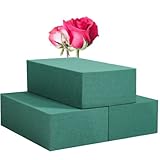
- Foam: You can cut foam sheets for all your fun craft projects.
- Wood: Yes, some Cricut machines can cut balsa wood.
Just remember to check the specifics for the machine you have. You don’t want to send your machine into a cutting frenzy without knowing its limits.
Factors Influencing Cutting Thickness
Several factors influence how thick a material your Cricut can cut. Here’s what you should keep in mind:
- Blade Type: Different blades can cut various materials. The deep-point blade is helpful for thicker materials.
- Material Density: Some materials may appear thick but are actually soft and easy to cut. Others may be thin yet dense, complicating things.
- Machine Settings: Different materials require different settings. Make sure to adjust the pressure and speed accordingly.
Understanding these factors will help ensure your projects come out as intended.
Recommended Thicknesses for Various Materials
You’ve got your materials picked out. Now, how thick are they? Here’s a handy guide to help navigate the thick and thin:
- Cardstock: Up to 2 mm
- Vinyl: Up to 1.5 mm
- Fabric (without backing): Up to 2 mm (Cricut Maker)
- Foam Sheets: Up to 3 mm
- Balsa Wood: Up to 3 mm (with the right blade)
Knowing these thickness recommendations helps you avoid a sticky situation.
Tips for Cutting Thicker Materials
Cutting thicker materials can feel like climbing Everest without oxygen. Here are some tips to make your life easier:
- Use the Right Blade: Invest in a deep-cut blade for those thicker projects. Trust me: it’s a game-changer.
- Adjust Settings: Play around with the pressure settings. High pressure can help cut through tough materials.
- Test First: Always do a test cut on a scrap piece. It saves you from cutting through essential materials and potentially ruining your project.
With these tips in your back pocket, you’ll tackle any project that comes your way.
Conclusion
Now you know what’s the thickest material Cricut can cut. Here’s a recap of what we covered:
- Cricut cutting technology involves blades, mats, and software working together.
- Different Cricut machines cater to various materials and thicknesses.
- A variety of materials can be cut, depending on the machine used.
- Factors such as blade type and material density influence cutting performance.
- Recommended thicknesses vary by material, so check your specifications.
- Tips for successfully cutting thicker materials can improve your crafting experience.
Armed with this knowledge, you’re ready to let your creativity run wild. Happy crafting.